Auto Click at Current Mouse Cursor Location from Macro Script
From your macro script, you can auto-click at the current mouse cursor location by specifying screen coordinates of X = 999 and Y = -999. Note that the screenshot of the Visible Action Selector below displays all the mouse-related actions which support automation of mouse actions at the current screen location, as well as action execution at specific screen locations identified by coordinates.
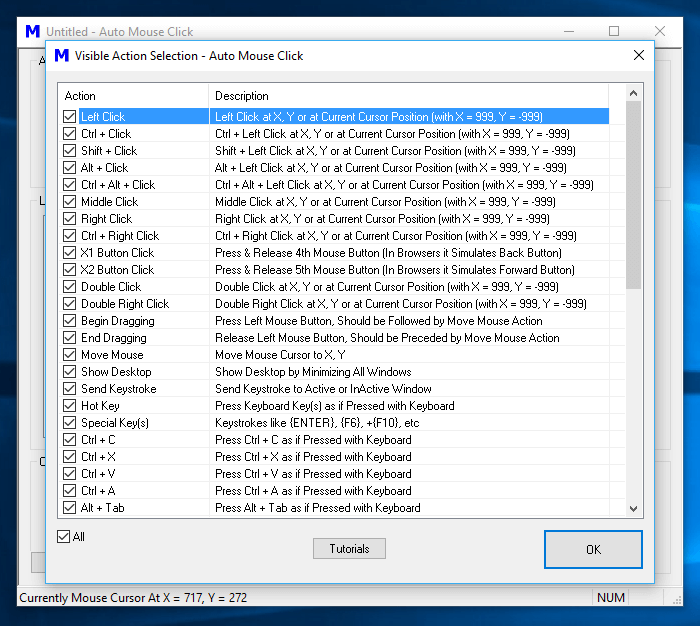
When screen coordinates are specified as X = 999 and Y = -999, the mouse cursor is not moved by the macro script, and the appropriate mouse action is executed at the current mouse cursor location. The mouse actions listed below support mouse automation at the current screen location:
- Left Click
- Ctrl + Click
- Shift + Click
- Alt + Click
- Ctrl + Alt + Click
- Middle Mouse Click
- Right Click
- Ctrl + Right Click
- Double Click
- Double Right Click
For a complete list of mouse actions which support mouse automation at the current screen location by specifying screen coordinates as X = 999 and Y = -999, please refer to the Mouse Actions for Mouse Automation post in this blog. Negative screen coordinates do exist and are available for a multi-monitor Windows computer when secondary monitors are laid out to the left of the primary monitor in virtual screen space.
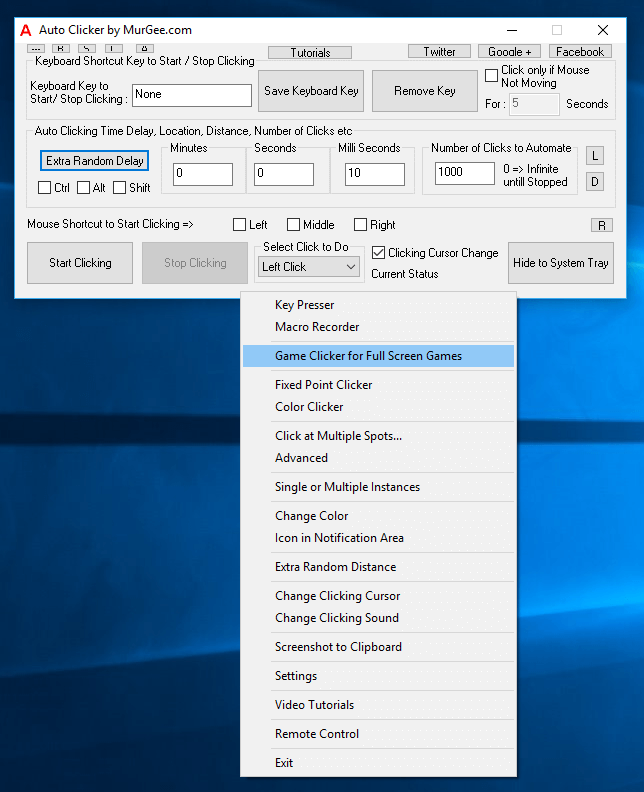
When you want to auto-click at the current screen location without writing a macro script, you can use Auto Clicker, which supports easy management of keyboard shortcut keys, automated clicking speed, and timing controls. The screenshot above displays the main screen of another mouse automation software application that supports flexible and easy speed control.